
What it is
bench-kit is the plain JavaScript and CSS that the research benches for SHRDLU, Spacewar!, ELIZA and Melville share, and the translation bench for Kuki Shūzō's Gūzensei no mondai: each version of a program or text set out line by line, any two collated, their descent drawn as a stemma, and annotations kept in a private Hypothesis group. A bench includes the kit as a git submodule, gives its own names, sources and language in a configuration file, and is served as a static site by GitHub Pages, with no build step and nothing to install.
Read
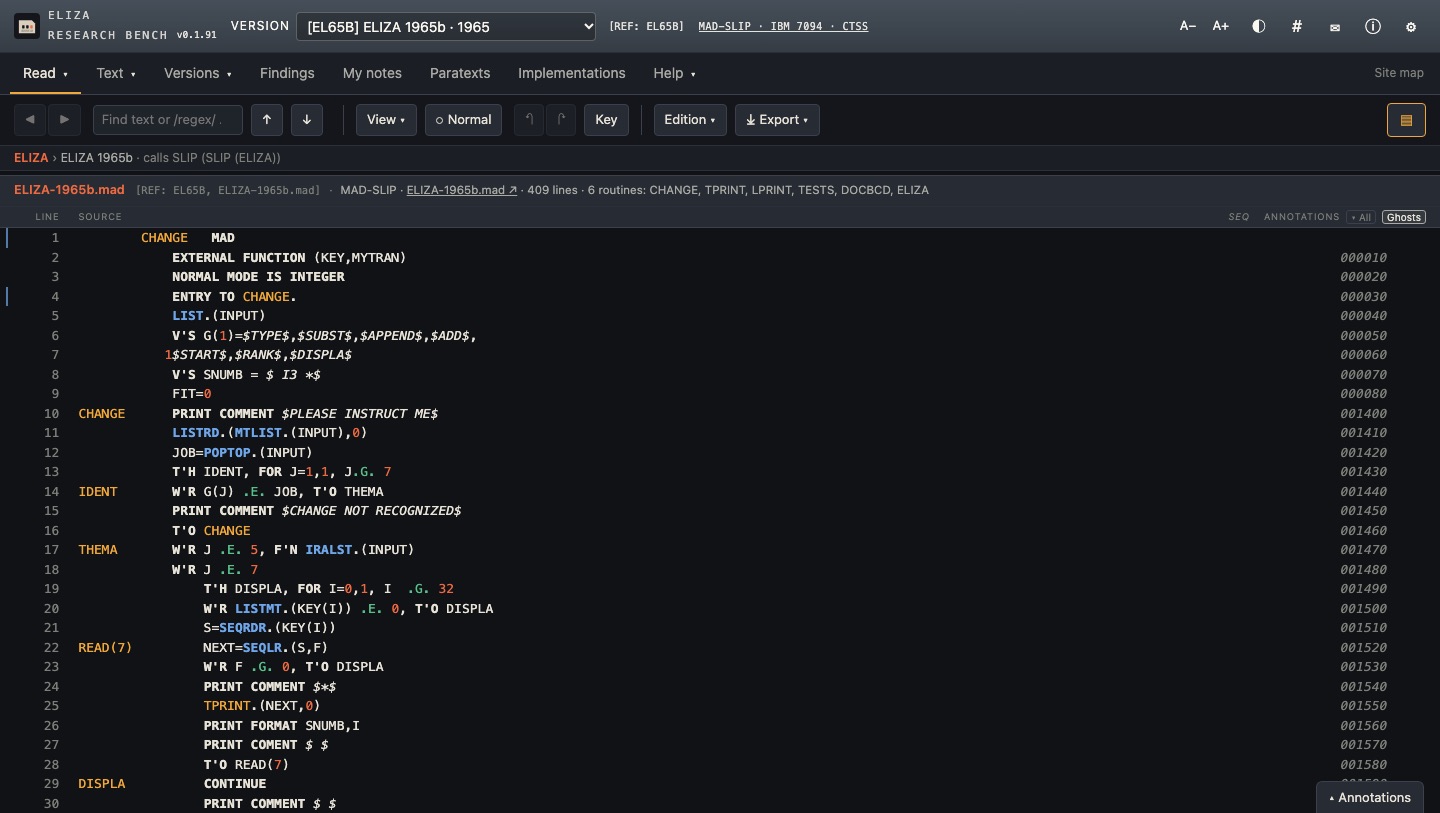
Each version's files as held, with search, highlighting, a citation for any line or range, a reading edition, and export to Word and Markdown.
Collate
Two versions as text, routine by routine, or definition by definition where both are Lisp.
Genealogy
A stemma of the versions, and flows and trees of what each keeps from its parent, moves, edits or drops.
Book
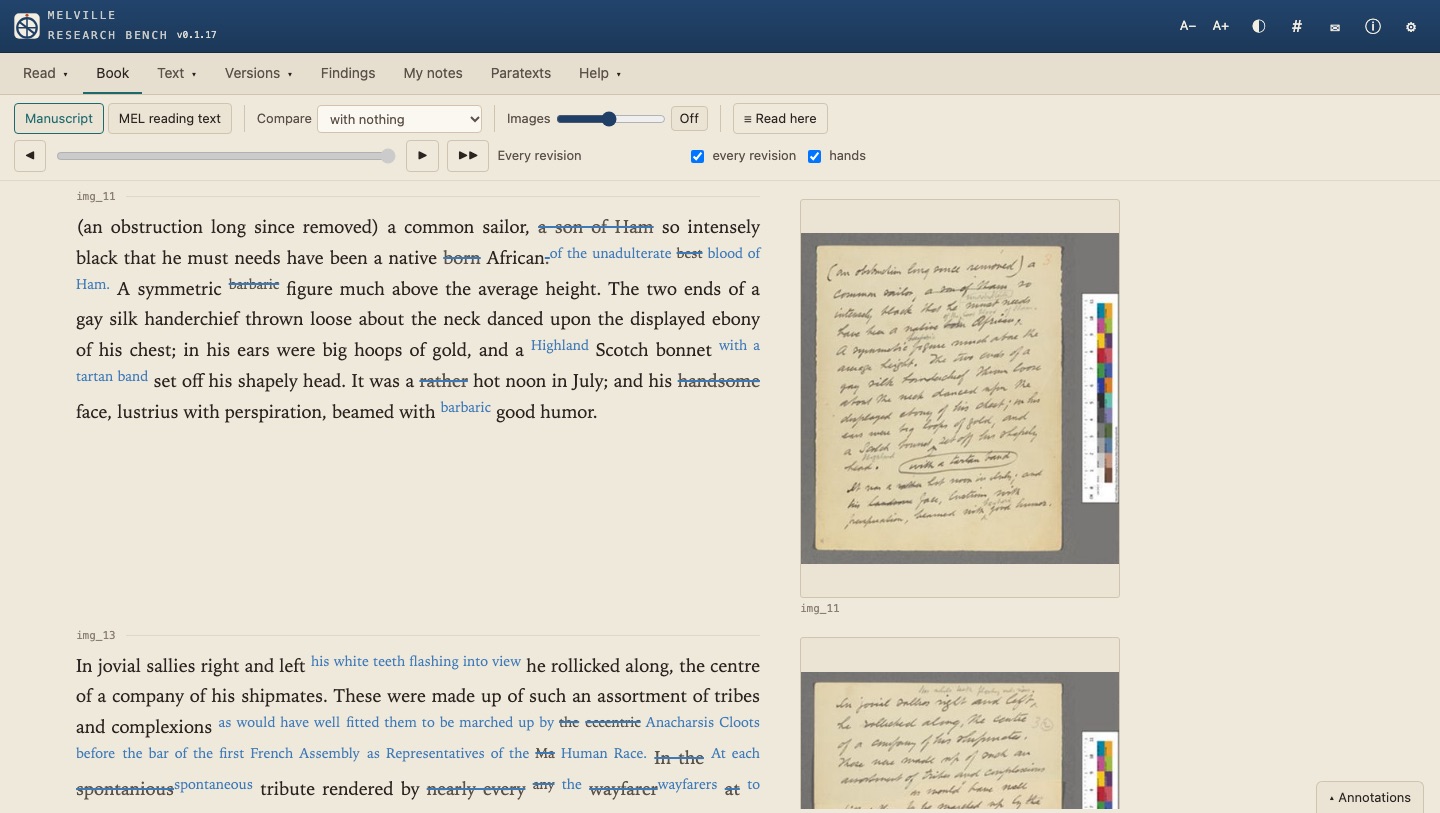
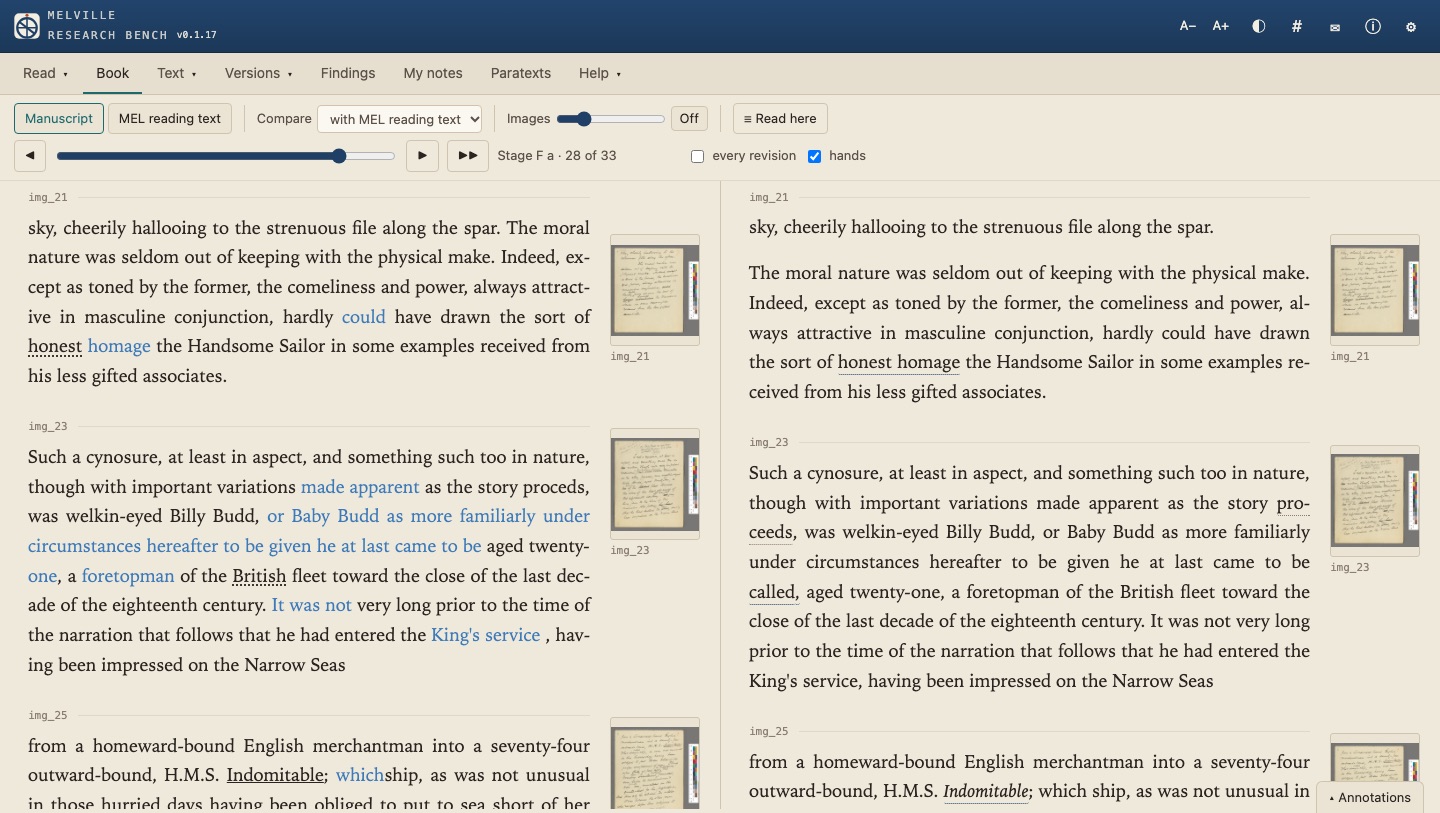
A text whose reader gives its structure (TEI, say) set as pages beside their images, with a slider through the stages of revision, and highlight links between the words and their places on the page (section 06).
Annotation
Through a private Hypothesis group, with replies and reactions; an annotation shows as a ghost on the matching lines of other versions.
Paratexts
Scans, documents and recordings in a private GitHub repository, catalogued in Dublin Core and arranged in collections and sequences.
Implementations
A catalogue of a program's copies, ports and reimplementations, drawn as a tree with the evidence for each line of descent.
References
A short reference for every version and file, and a Software Heritage identifier for each source.
Library
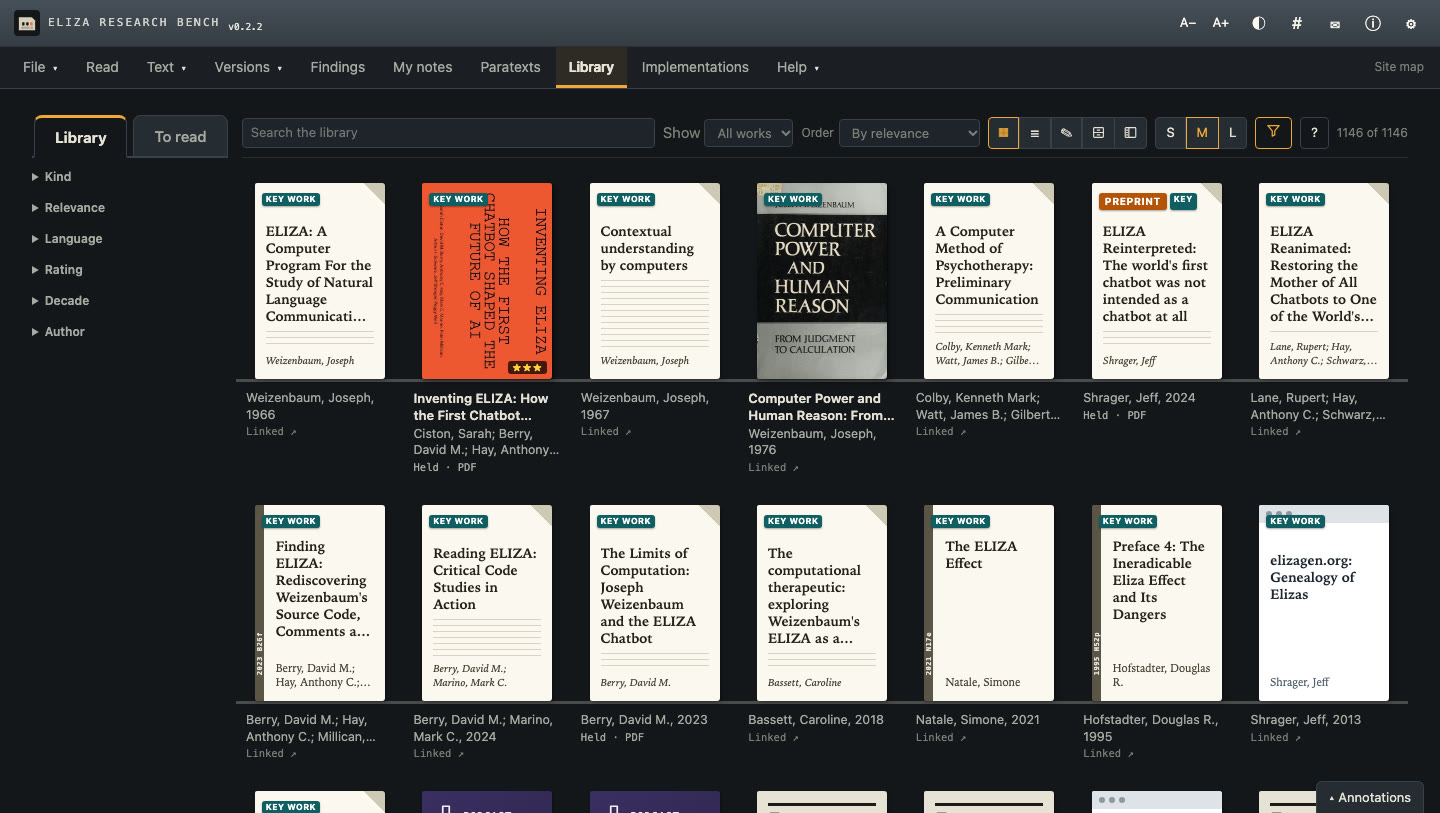
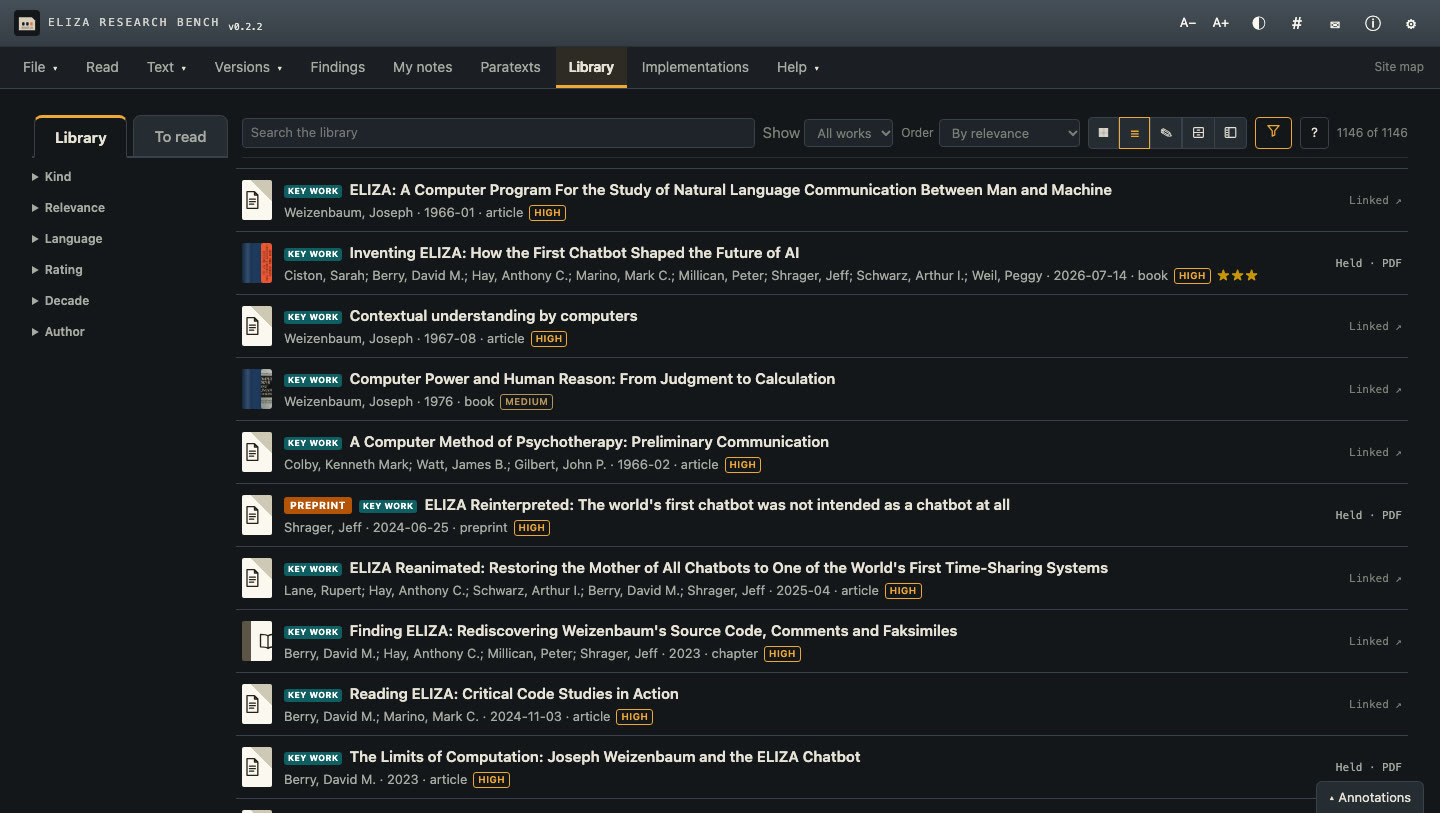
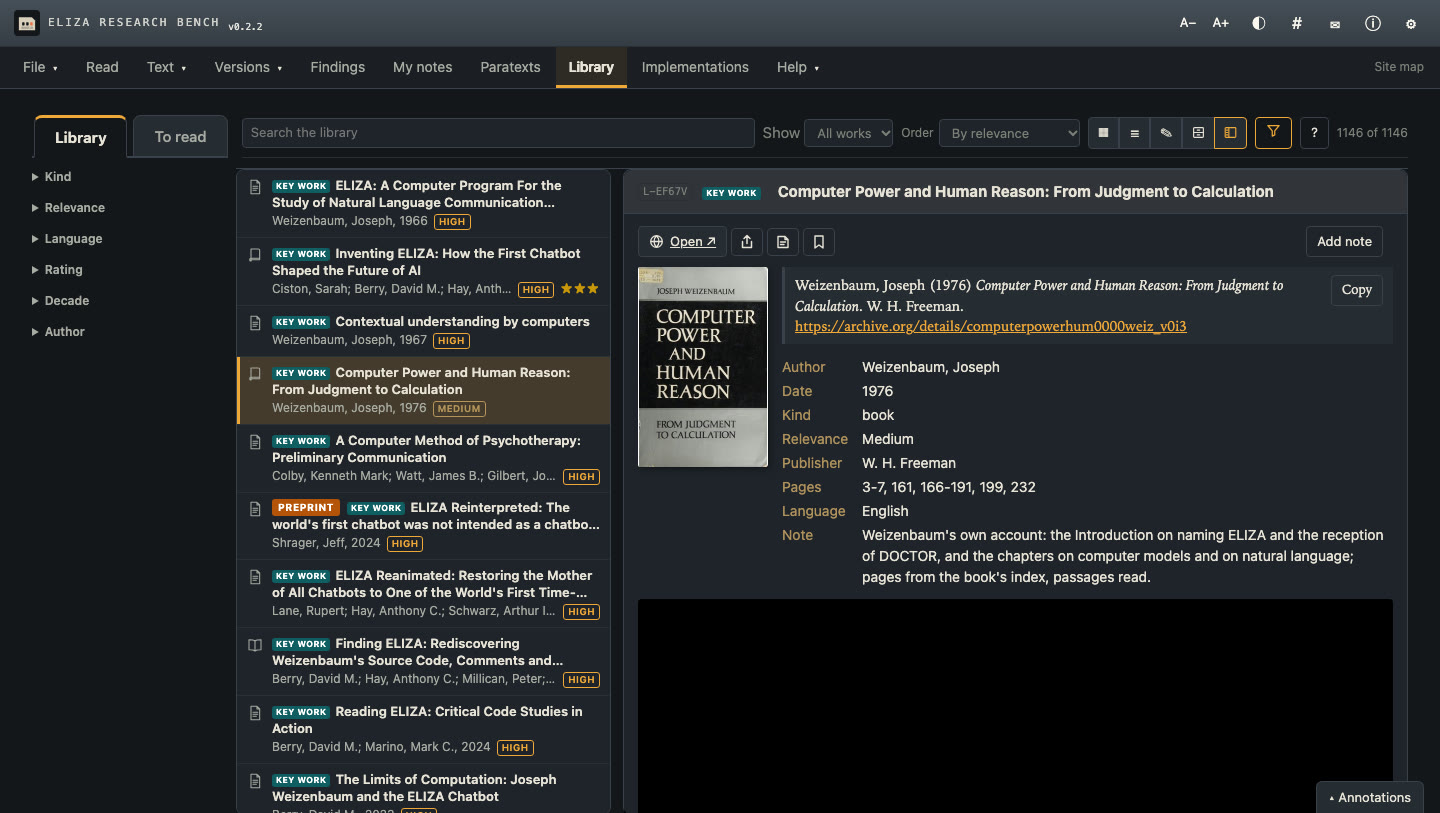
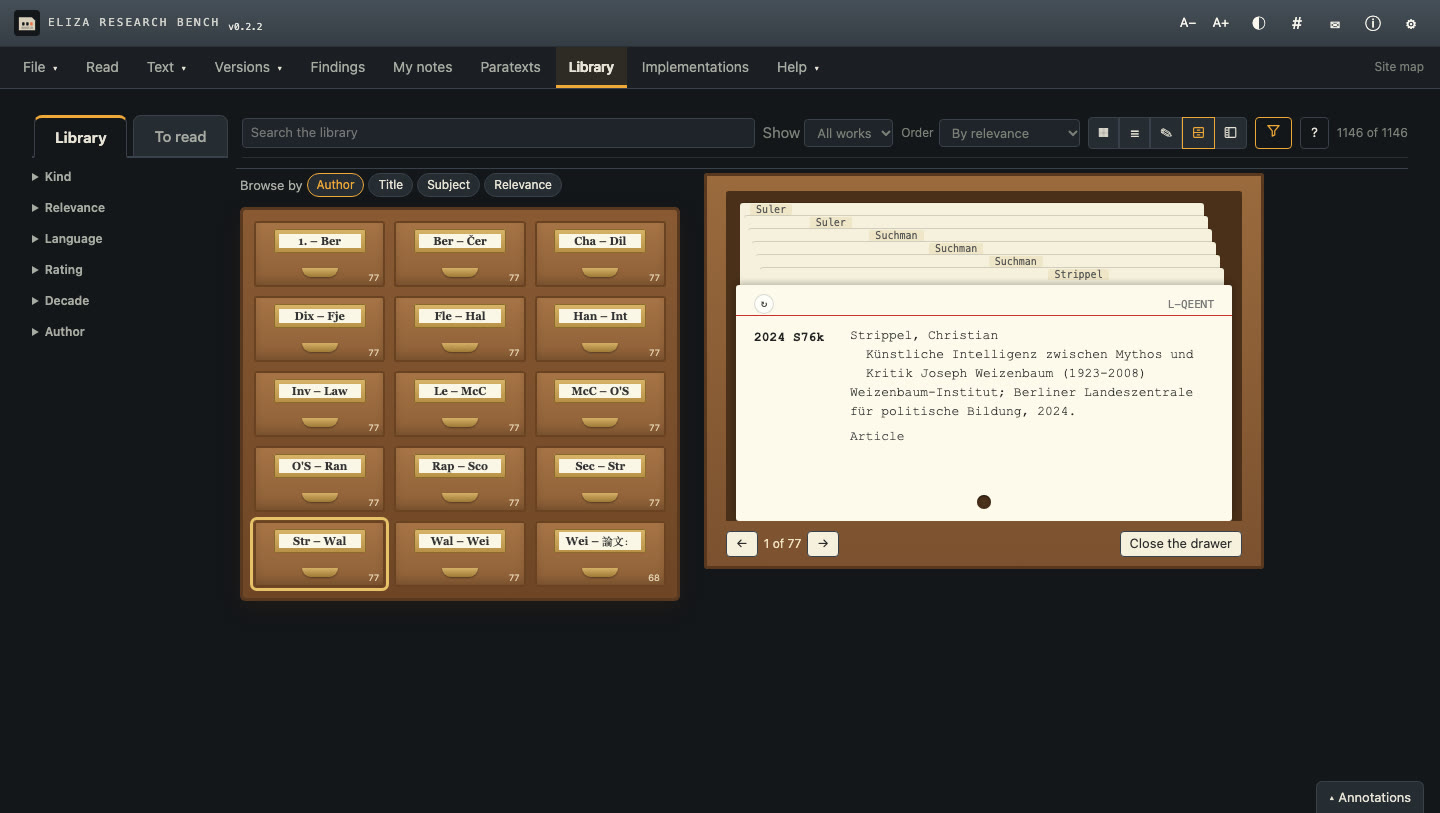
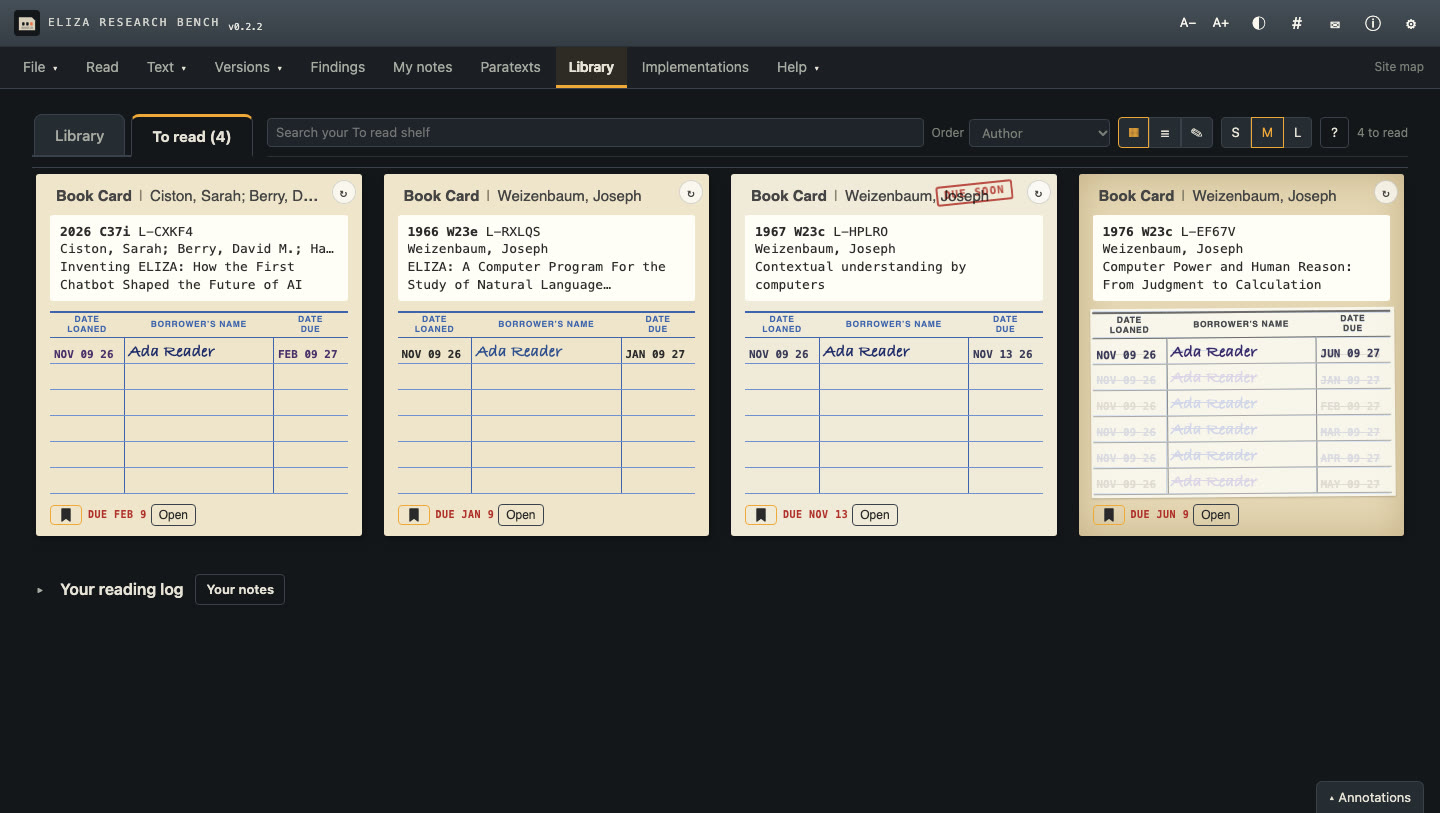
The secondary literature as covers, a list, a gallery or a card catalogue, with ratings, key works, relevance and tags kept in the group, and a To read shelf of book cards for each reader (section 05).
Translation
A translation's text beside its source page by page, its glossary as a concordance, its change lists checked against the text, and its file edited in a box that is locked until opened.
Quick start
A new bench starts from bench-template, which runs on an invented example (two versions of a small Python program and a lost first sketch) with the kit in place.
Prerequisites
- To run a bench: git, Python 3 (for a local web server; any static server will do) and a current browser.
- To run the kit's checks (
tools/test.js,tools/views.js): Node 22 or later, and Google Chrome or Chromium. No npm packages. - The steps below were run on macOS with git 2.54, Python 3.14, Node 22.22 and Chrome. The tools also look for Chrome at
/usr/bin/google-chromeand/usr/bin/chromium, and the kit's own CI runs them on Ubuntu.
Steps
- On GitHub, open bench-template and choose Use this template to make a repository of your own.
- Clone it with the kit, and serve the repository's folder (not
research/):
git clone --recurse-submodules https://github.com/YOUR-ORG/YOUR-BENCH
cd YOUR-BENCH
python3 -m http.server 8000
- Open
http://localhost:8000/research/. - Replace the example: the sources under
source/(a folder for each version), the versions and their descent inresearch/js/versions.js, the names, language and references inresearch/js/config.js. The template's README takes each file in turn; the kit's README lists every setting. - On GitHub, turn on Pages (Settings ▸ Pages, the main branch, root). The bench is then at
https://YOUR-ORG.github.io/YOUR-BENCH/research/.
To look before making a repository, clone the template itself: git clone --recurse-submodules https://github.com/critical-code-studies/bench-template.
Usage
The tests and the views were run on a fresh clone of bench-template 0.1.165 (bench-kit 1.8.28) on 9 November 2026, the server on bench-template 0.1.99 on 27 October 2026; the output is as printed.
Serve a bench and open it
python3 -m http.server 8000
::1 - - [27/Oct/2026 14:11:56] "GET /research/ HTTP/1.1" 200 -
The browser at http://localhost:8000/research/ shows Read on the example's version 2 (the first screenshot in 04).
Run the kit's tests in a bench
The kit's tests run in the bench's own page, in headless Chrome, so they check the kit with the bench's settings and versions. From the repository's folder:
node research/kit/tools/test.js
tests/annotations.html: 806 passed
Open every view, with this bench's kit or another
tools/views.js opens each view in turn and fails on one that throws, draws nothing, or shows that it could not load. With --kit it serves a kit from another folder in place of the bench's own, so a kit change can be tried in a bench without changing the bench.
node research/kit/tools/views.js
Example Research Bench 0.1.165, kit 1.8.28
  ✓ read
  ✓ analyse
  ✓ functional
  ✓ compare
  ✓ genealogy
  ✓ about
  ✓ findings
  ✓ notes
# with a kit checked out beside the bench:
node research/kit/tools/views.js --kit ../bench-kit
The kit's own workflow runs both tools in all six repositories (the five benches and the template) on every push.
Screenshots
Every bench has the colour themes of ⚙ Settings ▸ Display, four dark and three light; the ◐ button switches between the last of each.
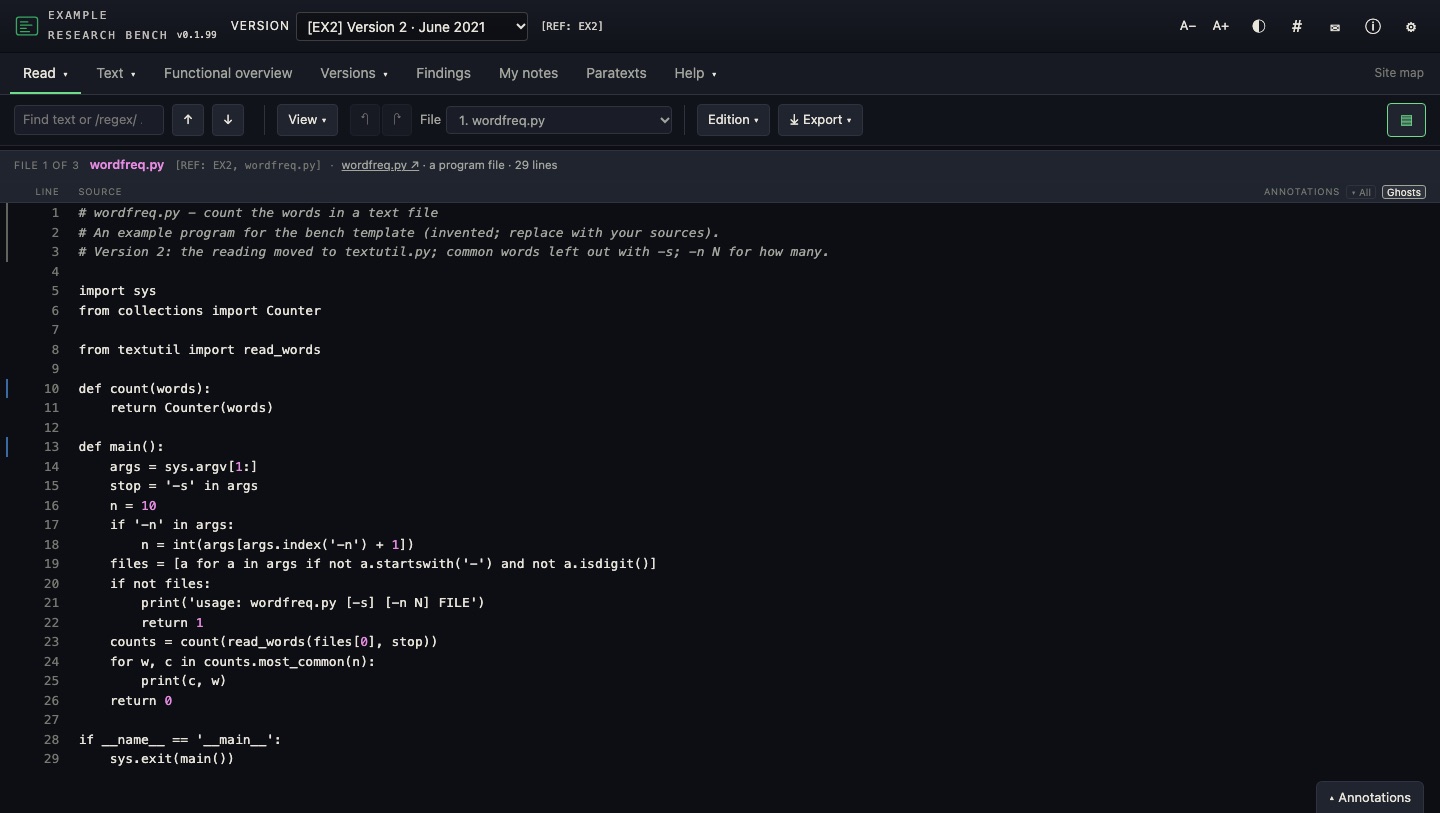
wordfreq.py, version 2.bench-template 0.1.99, bench-kit 0.81.0 · 27 October 2026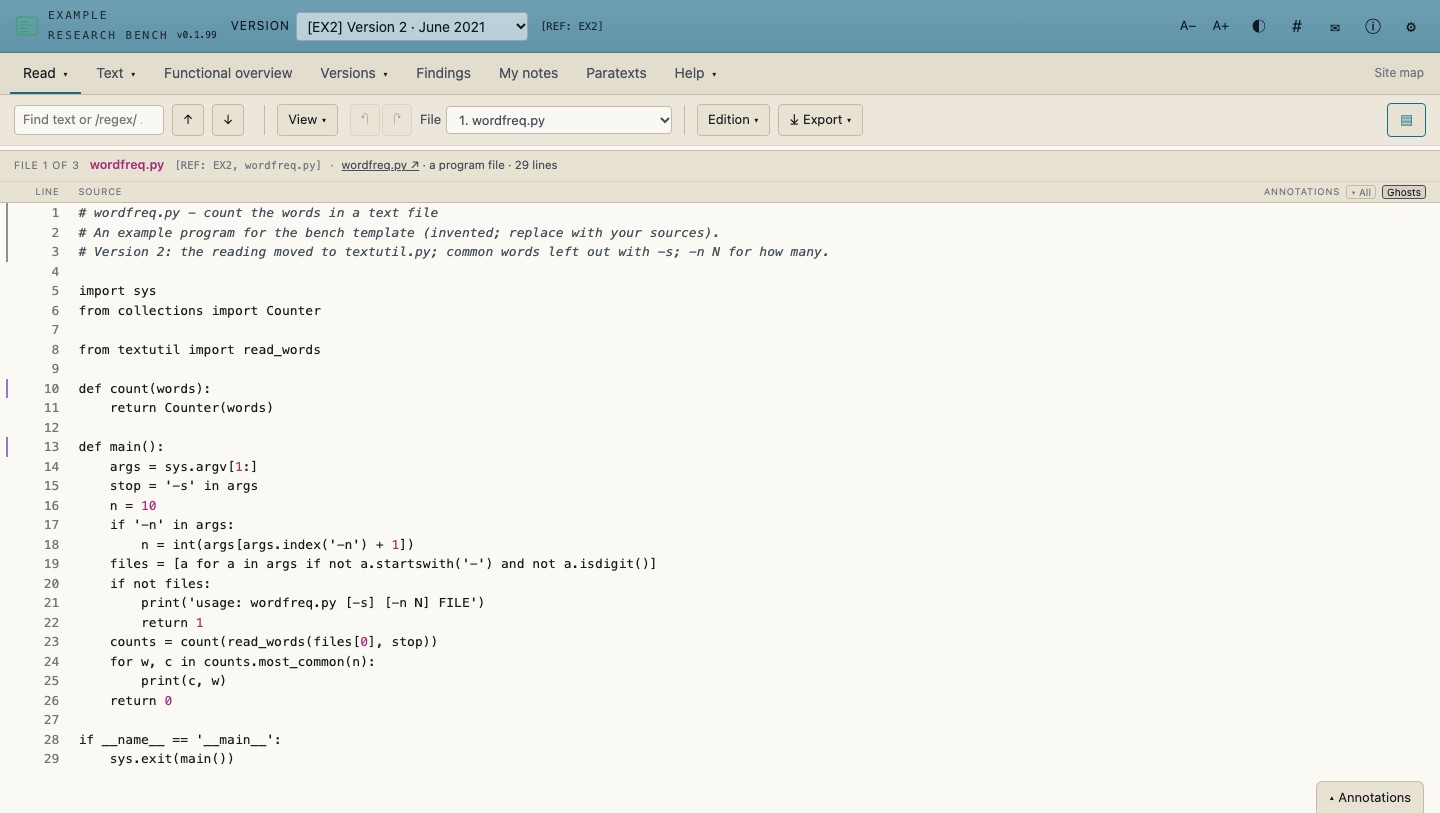
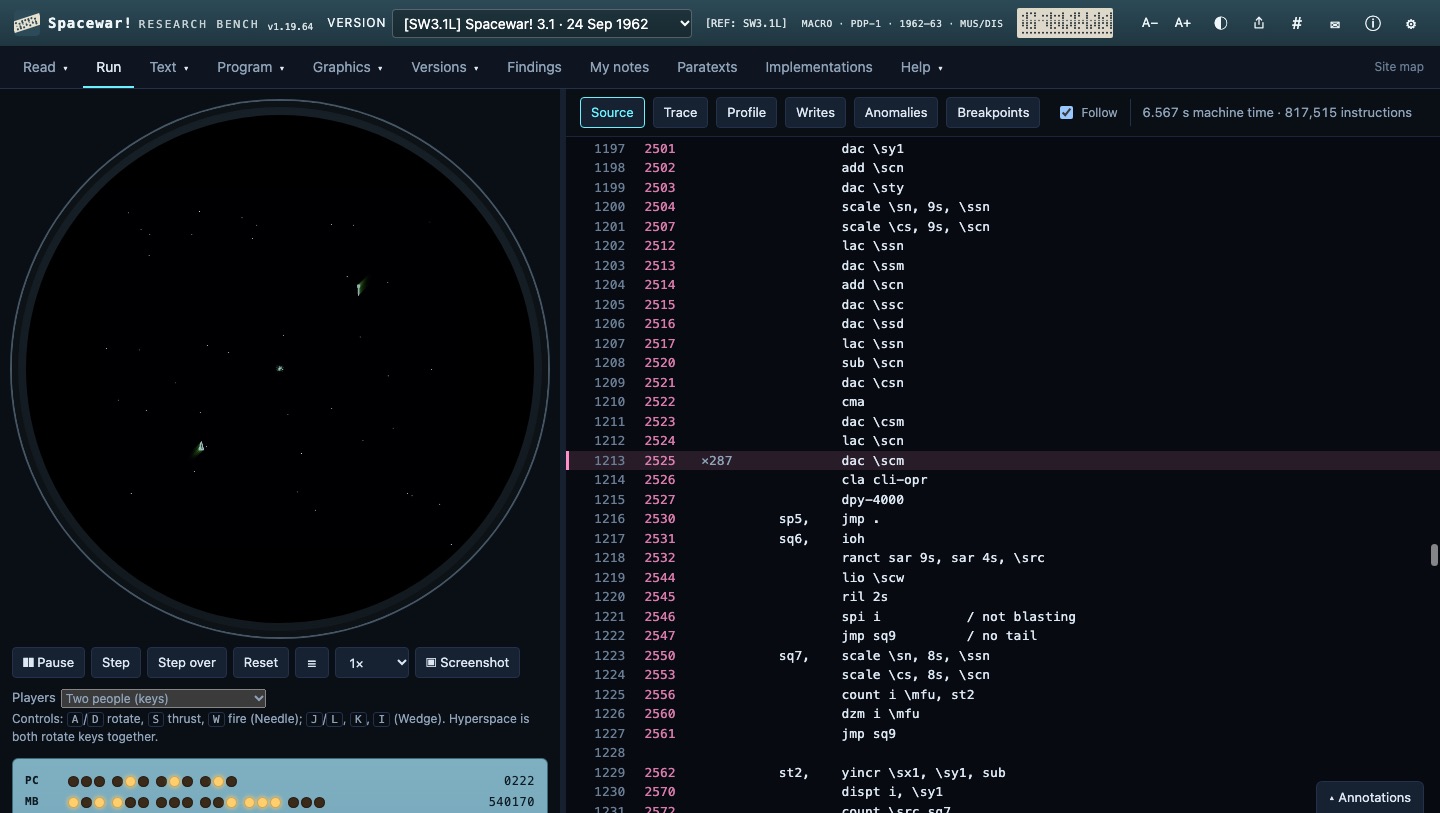
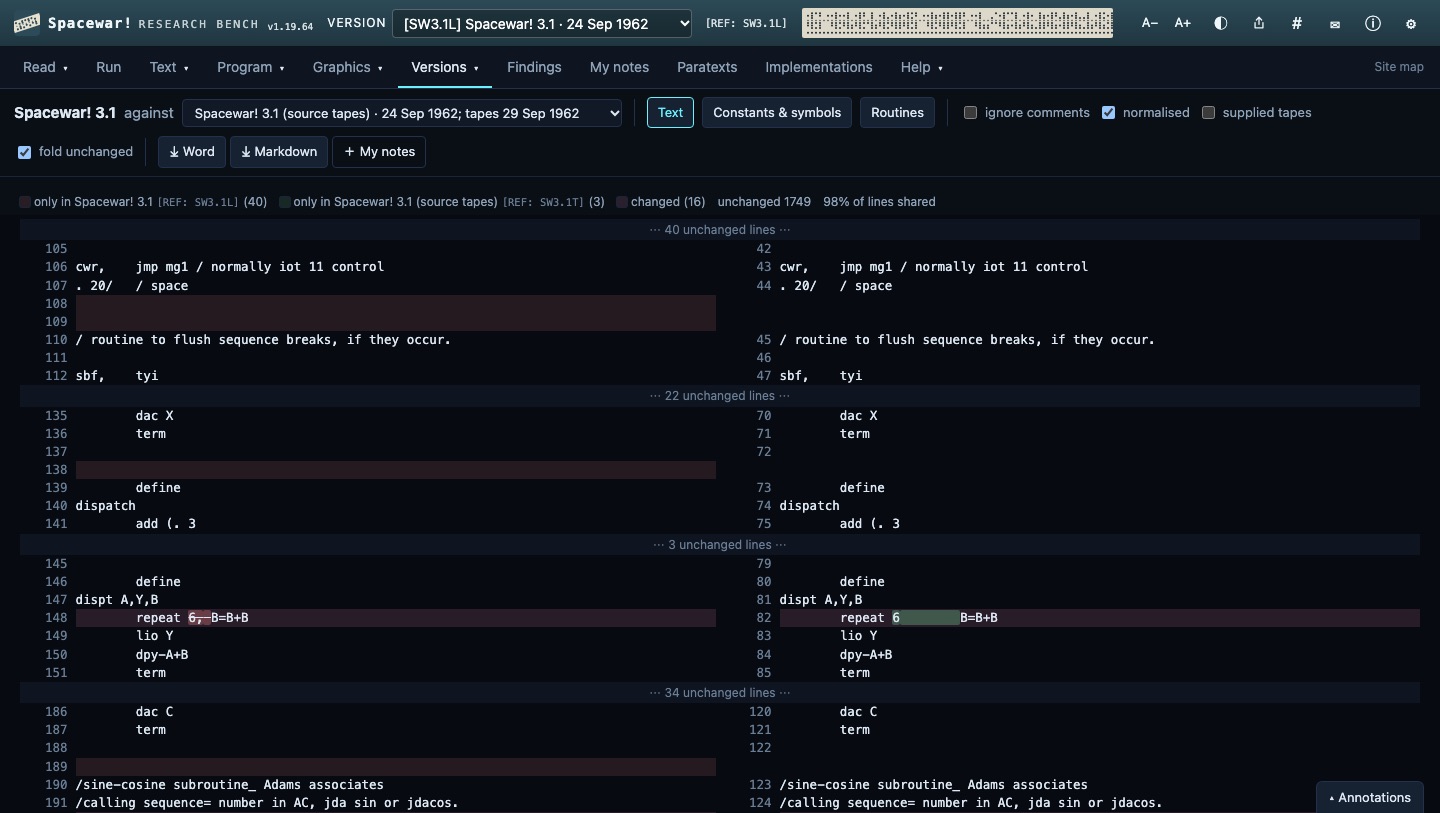
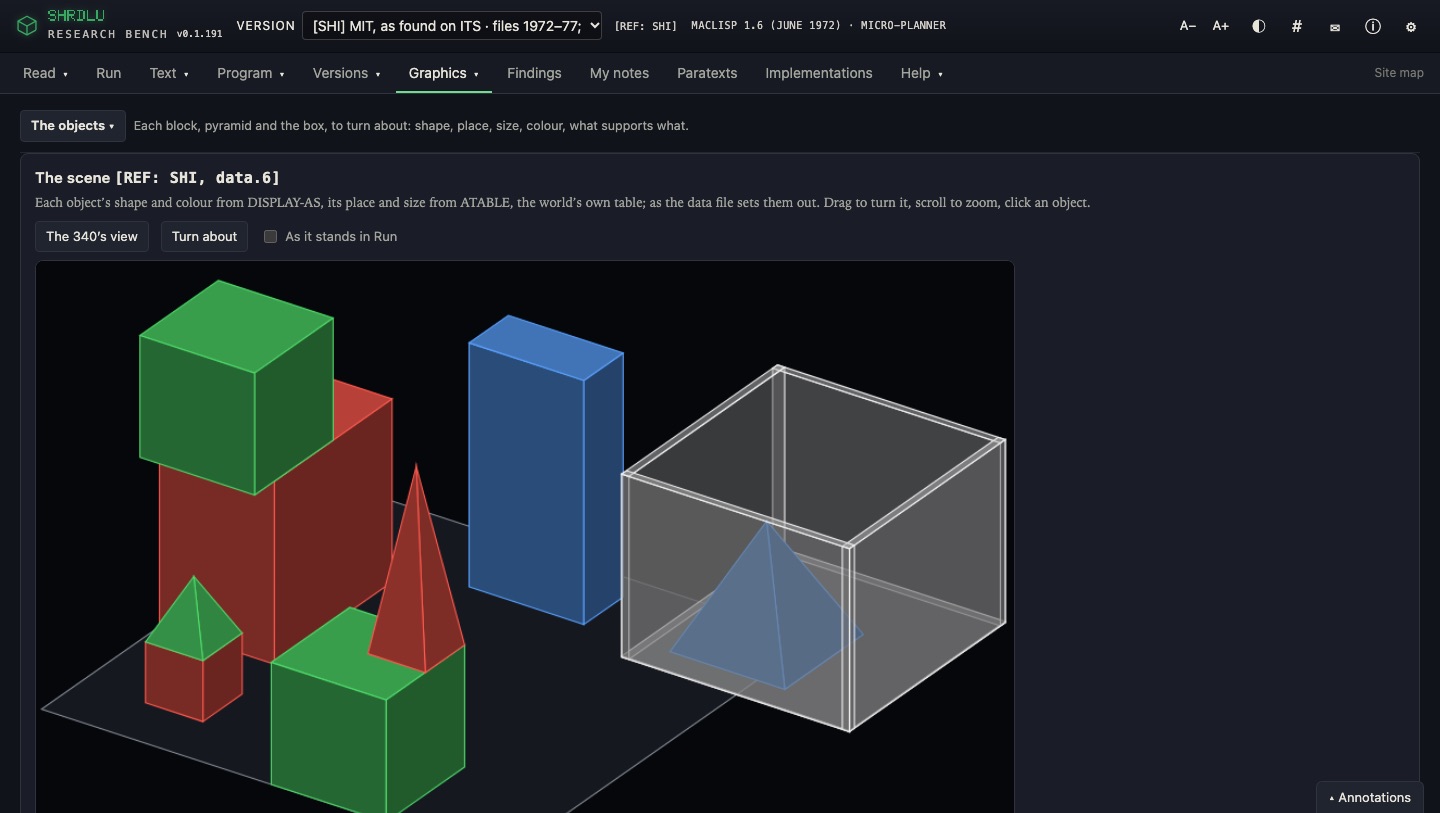
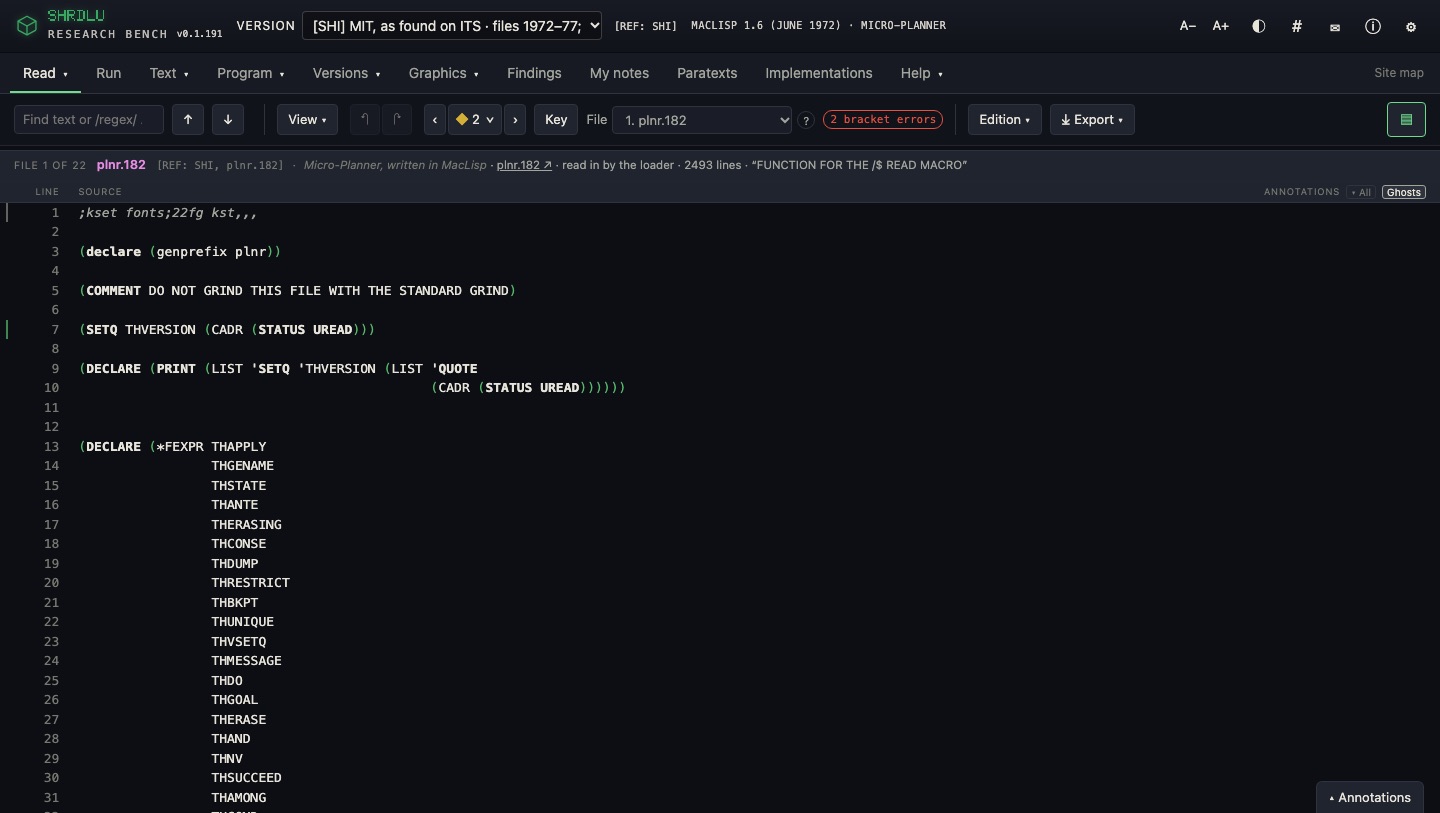
plnr.182, Micro-Planner written in MacLisp, in the MIT files as found on ITS, with the stepper (◆) through the version's repairs in the toolbar.SHRDLU 0.1.191, bench-kit 0.69.0 · 21 October 2026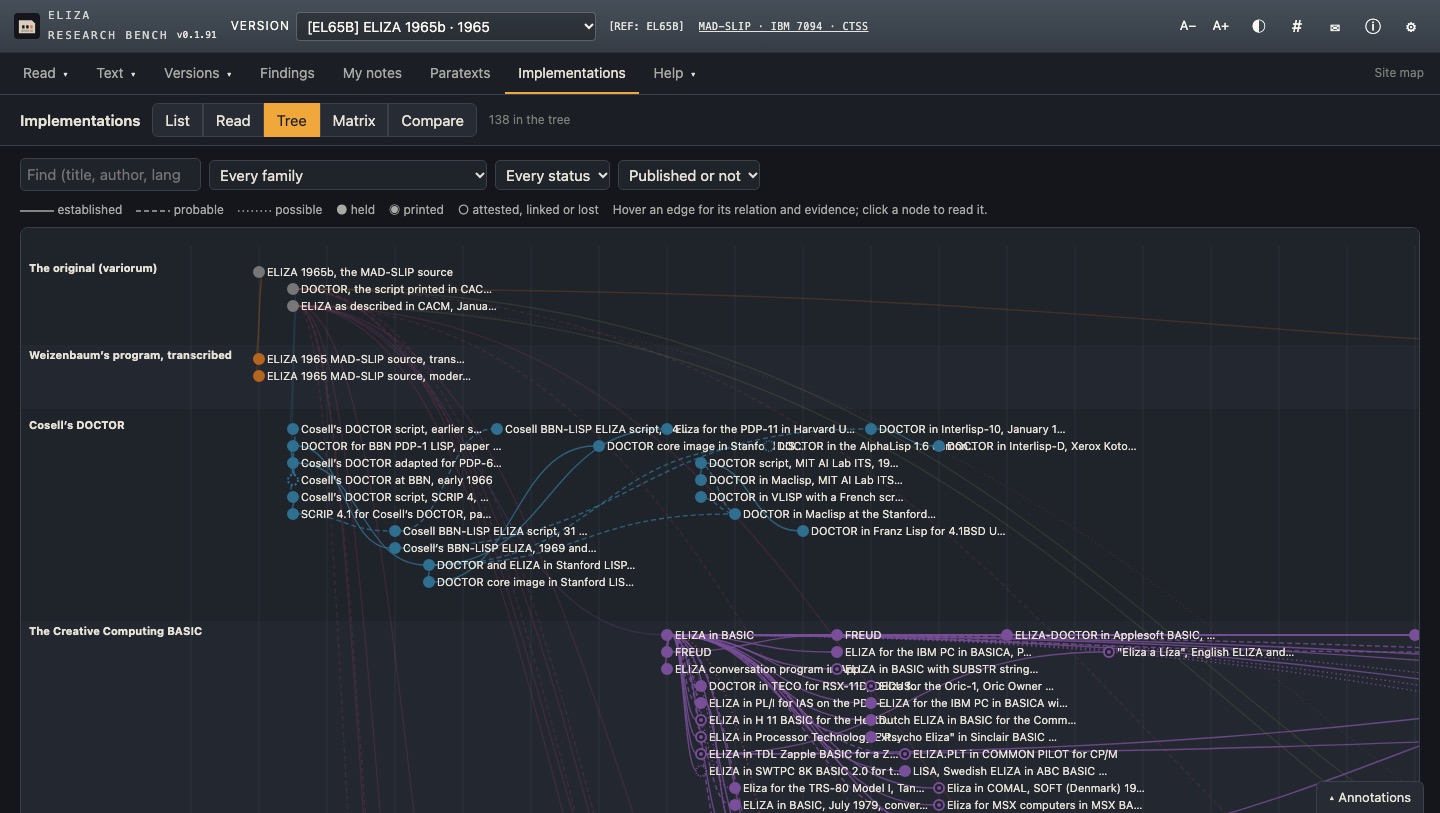
The Library
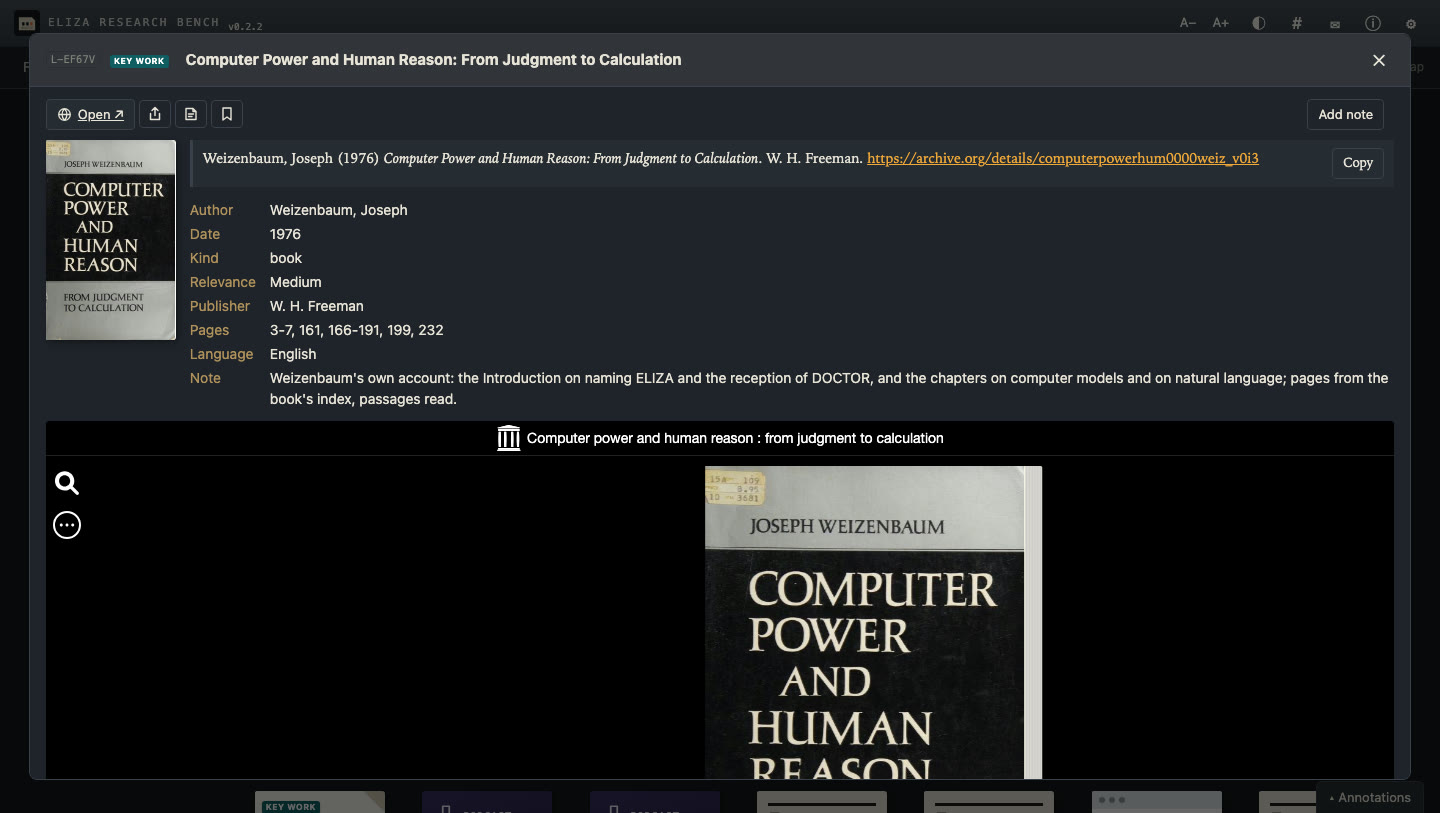
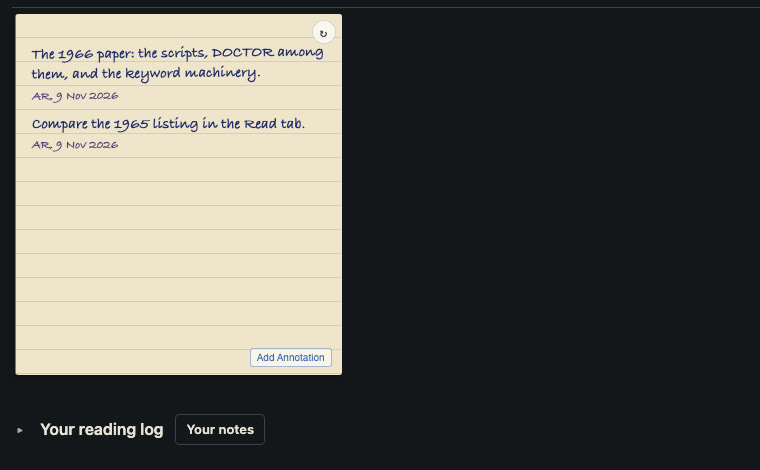
The Library tab (library.js) holds the secondary literature on a project: books, articles, chapters, theses, talks, podcasts, films and web pages, each a record in the bench's library.json, with the file where the bench or the group holds one and a link where the work is published. Members of the bench's Hypothesis group rate works, mark key works, set each work's relevance, tag it and write notes on it; a published snapshot shows the ratings, marks and tags to readers with no token. The figures below are from the ELIZA bench, which lists 1,146 works. The Library guide covers setting it up, the manifest's fields and the tools.

Book
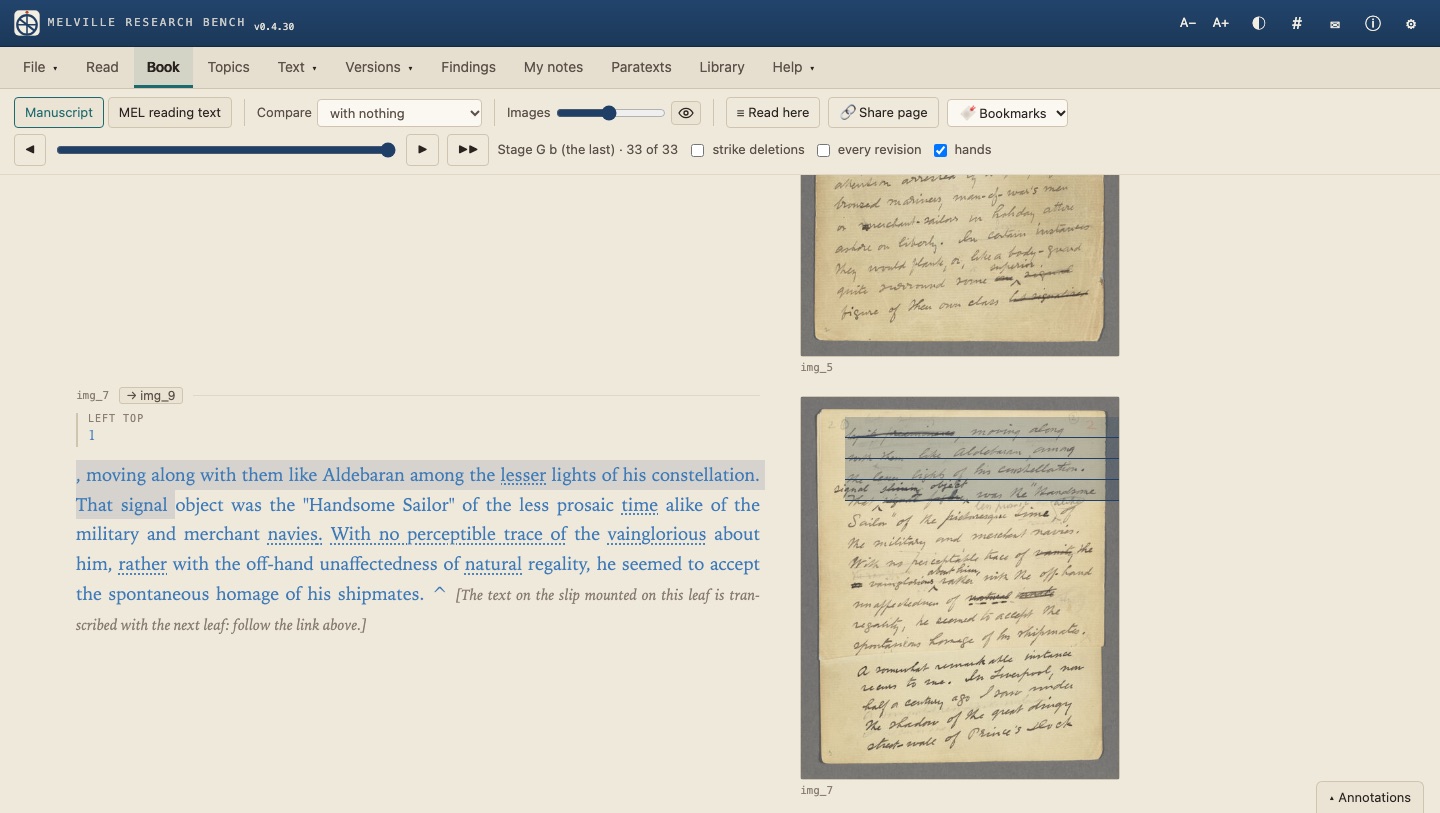
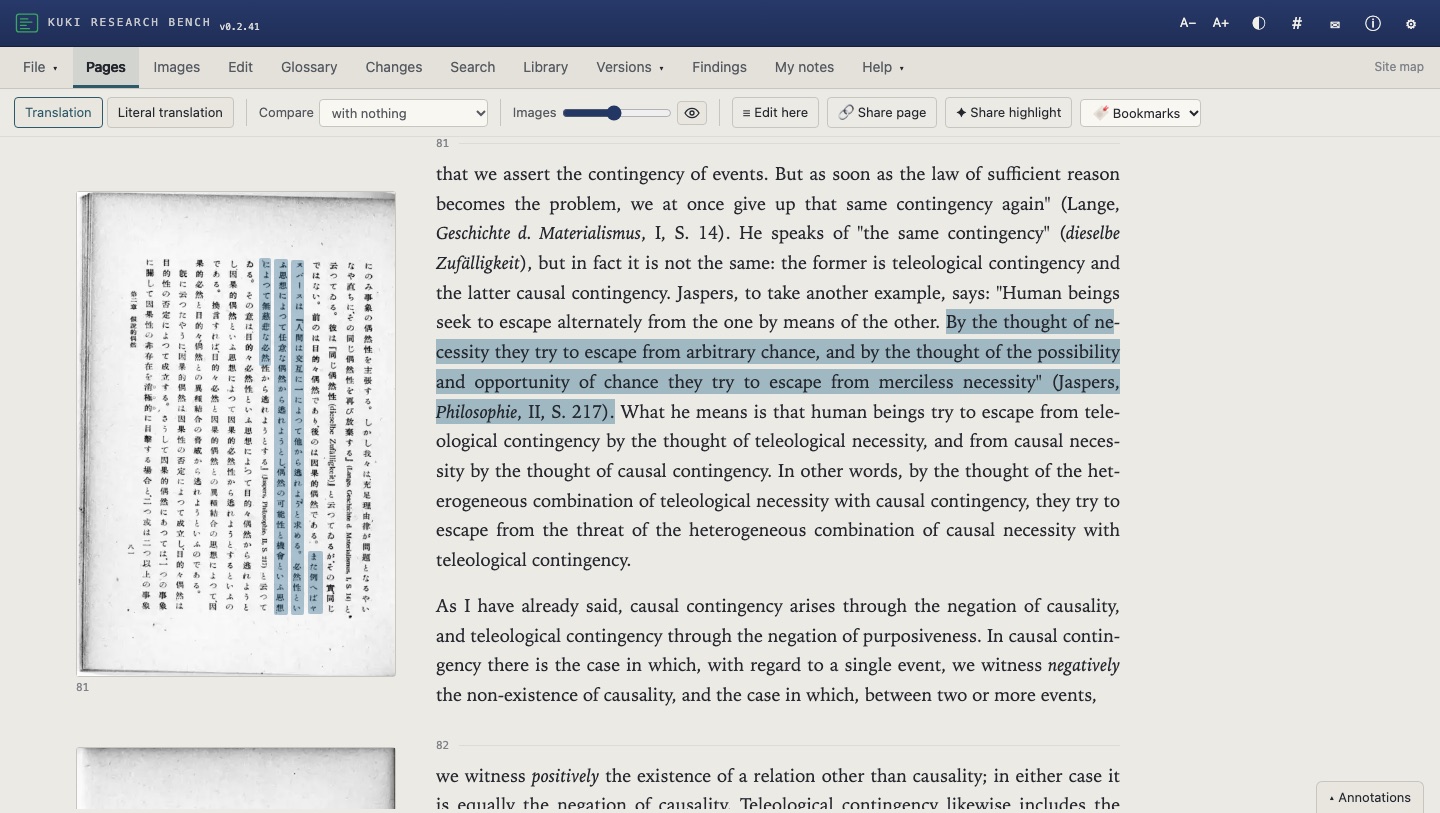
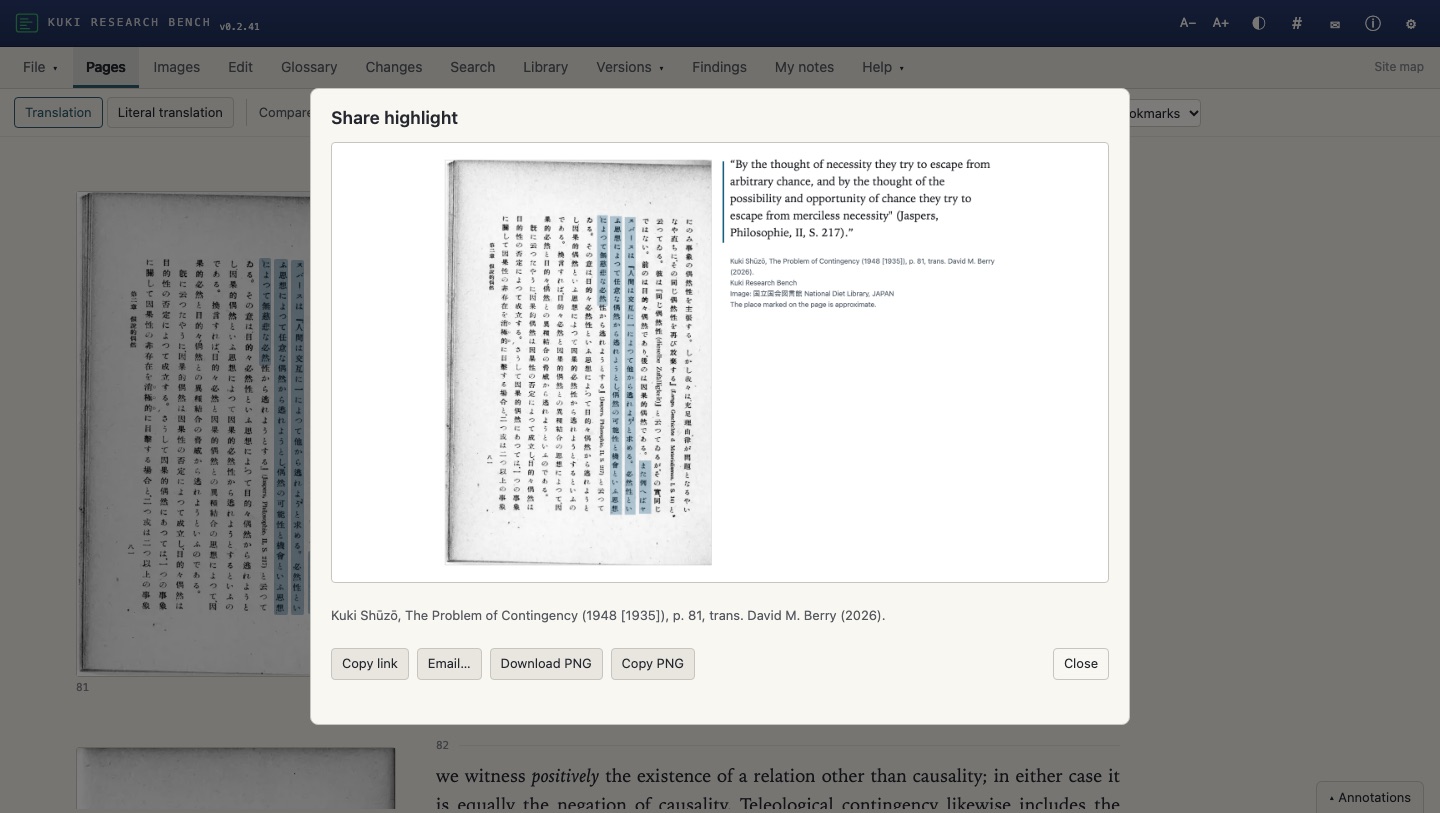
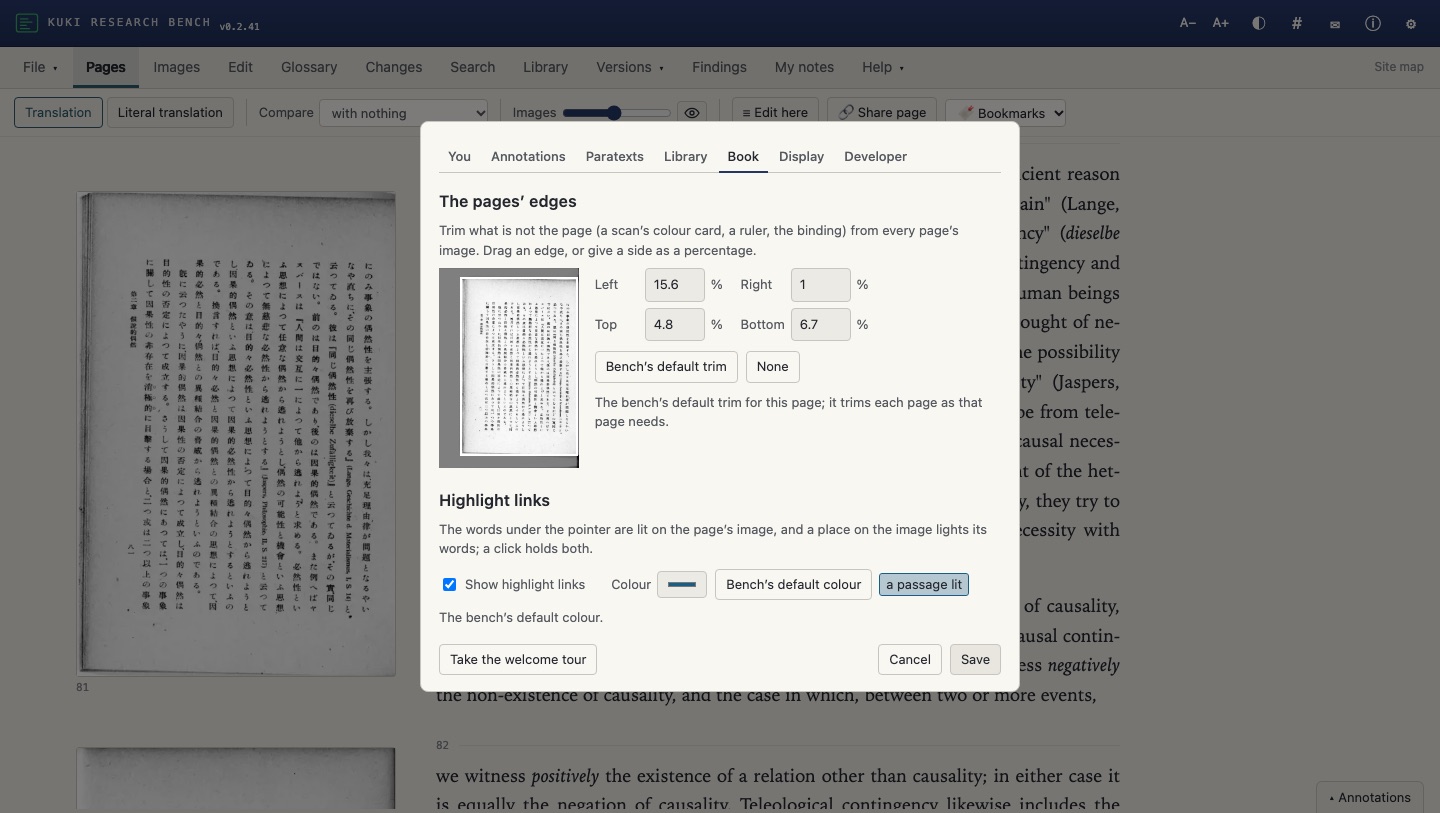
Book (book.js) sets a version's text as pages beside their images. A highlight link ties words of the text to their place on the page's image: the words under the pointer are lit on the image, a place on the image lights its words, and a click on either holds both until the next click. Text selected lights every place it runs over. A bench sets the links' colour (doc.linkColor); a reader can choose their own, or turn the links off, in Settings ▸ Book.
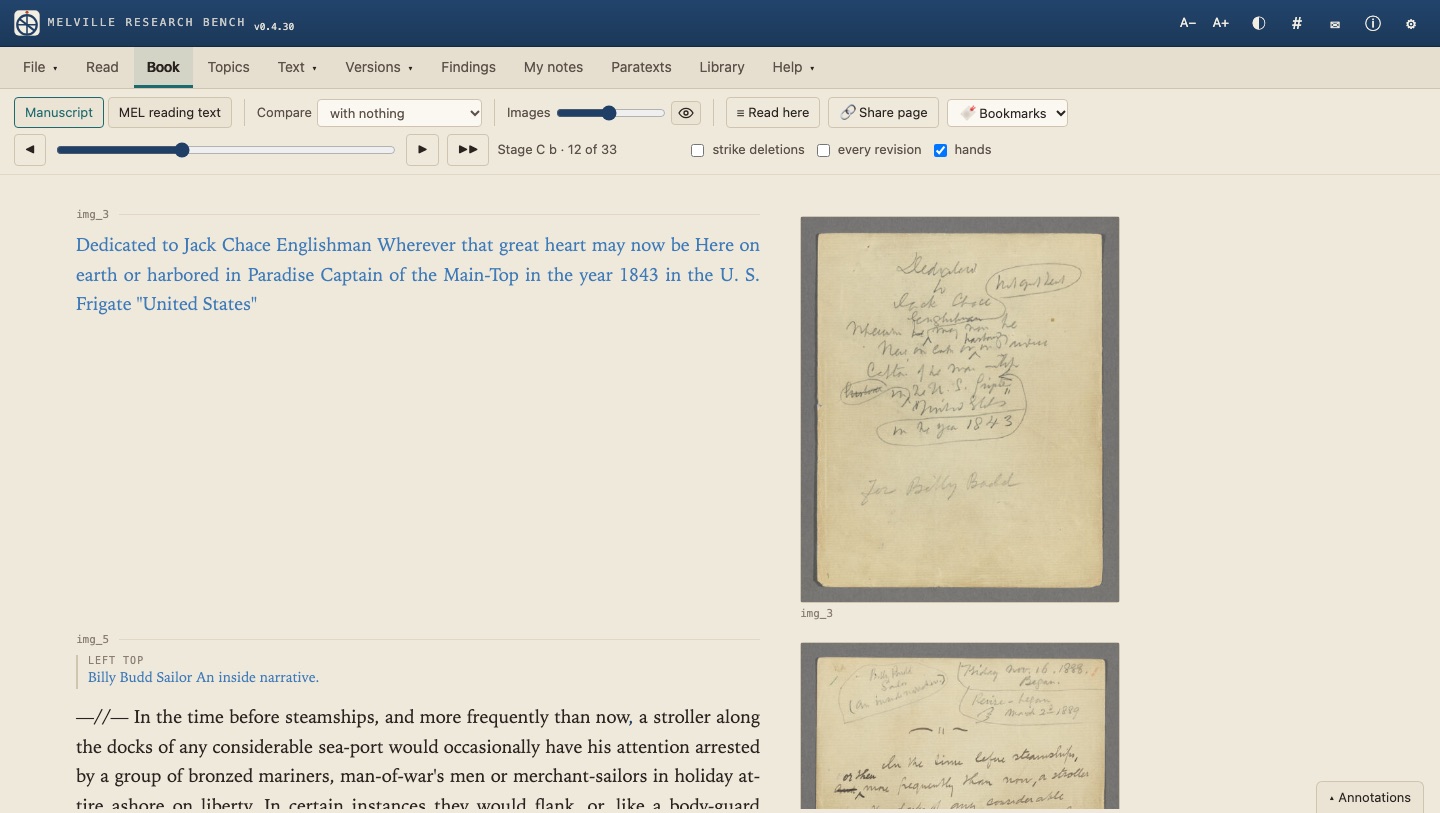
The places come from the bench's data, in one of three forms. A document that gives the boxes its revisions are written in (doc.zones) ties each revision to its box. A page break that gives its lines (pb.lines) ties each line of the text to a band on the image, as the Melville bench does for the manuscript of Billy Budd. For a text whose lines are not the page's, such as a translation read beside its source, a support file gives each page's passages (doc.regions): the boxes a passage takes on the image and the words of the text it holds. Book finds those words in the text as it is set, so the file keeps no line numbers and follows the text when it is edited elsewhere. The Kuki bench has 2,754 such places on 330 pages, one for each sentence of the translation or its part on a page, all marked as estimated. The README gives the file's fields.
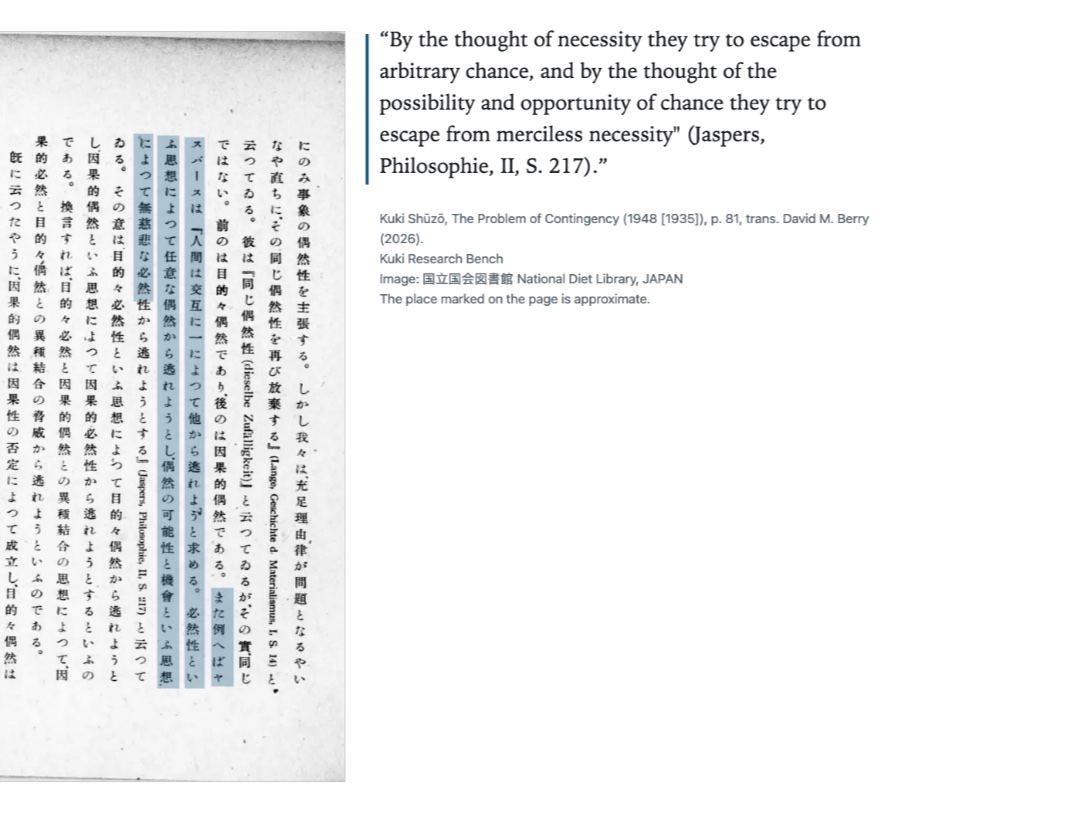
While a passage's highlight link is held, Share highlight makes a picture of the page with the place marked and the passage beside it, with the bench's citation (doc.shareCite) and the image's credit. Copy link gives a link that opens Book with the same highlight held. Email… hands the picture and the passage to the system's sharing where the browser can pass a file, and elsewhere starts a message with the passage and the link and copies the picture to paste in. Download PNG and Copy PNG give the picture. Share page is the link to Book as it is set.
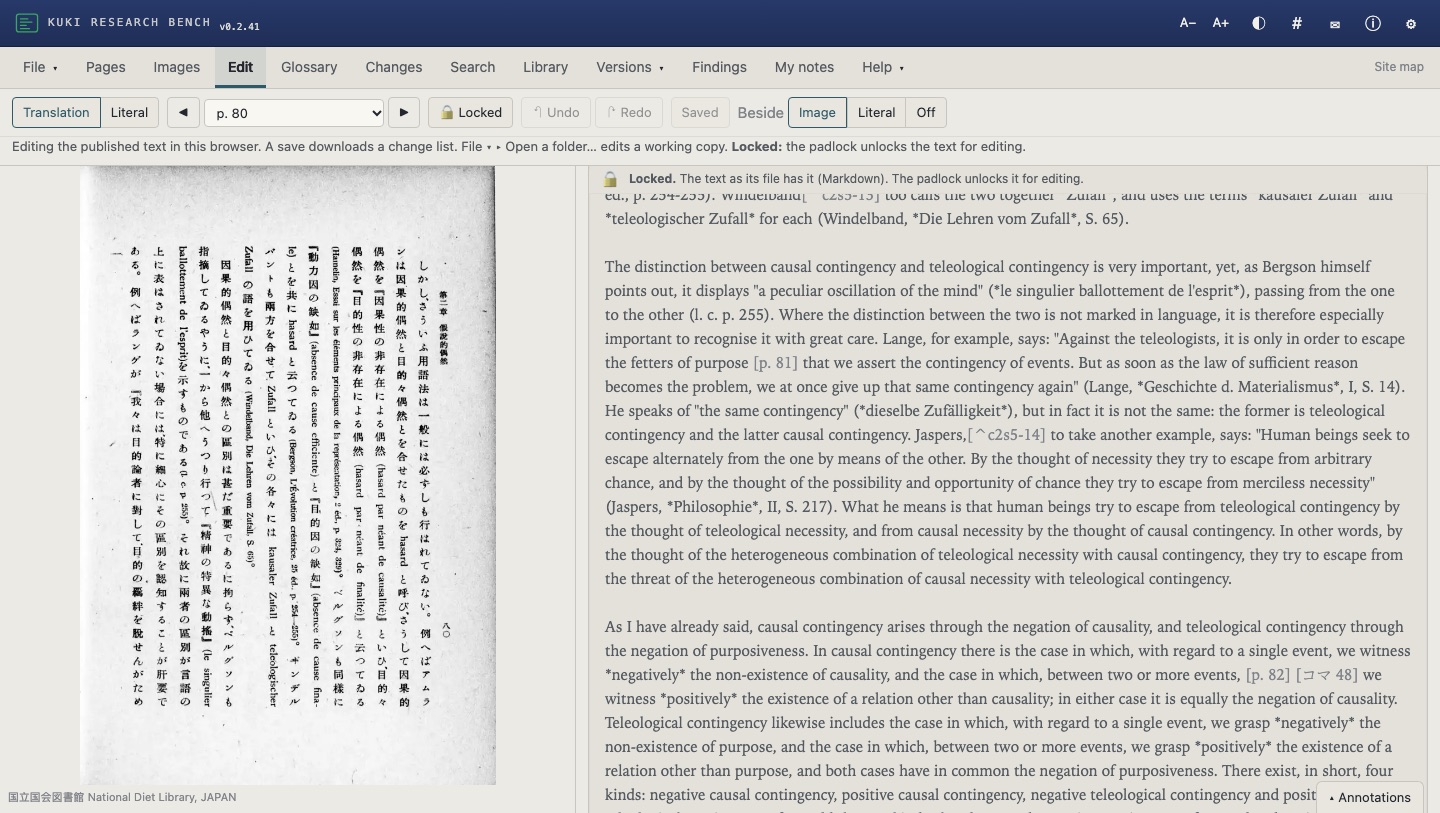
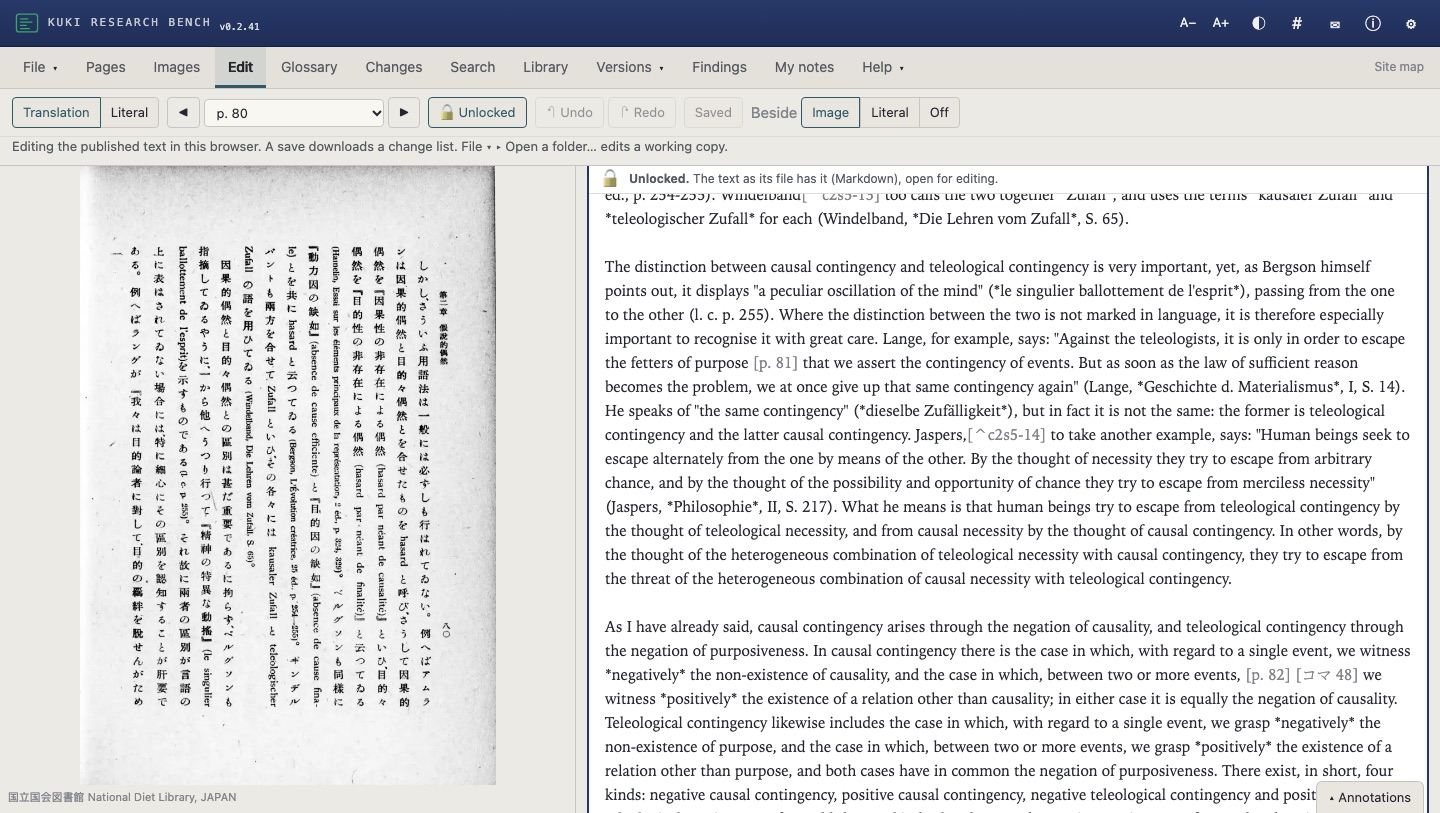
Where a version has stages of revision, the slider shows the text at a stage and “every revision” shows them all at once; moving the slider, or ◀ ▶, turns “every revision” off. On a translation bench, Edit (vt-edit.js) sets the file's text in a box of its own, greyed while locked and white once its padlock is opened.
Configuration and tokens
A bench has no server, no environment variables and no API keys of its own. Its settings are in research/js/config.js, read by the browser. Two services take a personal token, and both are optional: without them a bench reads, collates and draws as usual, keeps annotations as drafts in the browser, and does not open the paratext archive.
Each person pastes their own token into ⚙ Settings. It is kept in that browser's localStorage, under the bench's storage prefix (store in config.js), and is left out of Help ▸ Back up my data. Nothing is sent anywhere but the service it belongs to.
Hypothesis API token, for shared annotations
- Provider
- Hypothesis. An account is free.
- Get it
- Signed in, at hypothes.is/account/developer, where Hypothesis makes and shows your token.
- Where it goes
- ⚙ Settings ▸ Annotations: the group link from your invitation in Group link or ID (it is reduced to the ID), the token in API token. Stored as
<store>groupand<store>token. - Bench setting
- The private group's ID, as the default for everyone, in
config.js; members join through the bench's invitation (Help ▸ Annotating and sharing ▸ Getting set up).
group: 'AbC123xy', // the private Hypothesis group's IDTo check it: Settings ▸ Annotations ▸ Test connection. A working token and group give Connected as acct:NAME@hypothes.is; group “GROUP” found.
| Message | What it means |
|---|---|
| The token was not accepted. | Hypothesis does not know the token (it answers as for a visitor who is not signed in): it was mistyped, revoked or replaced. Generate a new one and paste it again. |
| Connected as acct:NAME@hypothes.is; but that group was not found for this account. | The token works, but the account is not a member of the group in Settings: accept the invitation, or check the group ID. |
| Hypothesis 4xx: … | Any other refusal, with the first part of Hypothesis's own reply. |
GitHub fine-grained token, for the paratext archive
- Provider
- GitHub. Free; the archive is a private repository the bench names, and each member must be given access to it.
- Get it
- Settings ▸ Paratexts ▸ Open the token form. The bench opens github.com/settings/personal-access-tokens/new with the name, owner, a year's expiry and Contents (read and write) filled in; choose Only select repositories and the archive by hand.
- Where it goes
- ⚙ Settings ▸ Paratexts ▸ GitHub token. Stored as
<store>gh.token. - Bench setting
- The archive's owner and repository, and the name of the browser cache, in
config.js. - Limits
- GitHub allows an authenticated user 5,000 REST requests an hour; without a token it is 60. The bench caches the catalogue and files it has fetched in the browser.
paratexts: { org: 'YOUR-ORG', repo: 'your-bench_paratexts', cache: 'your-bench-paratexts' },To check it: open the Paratexts tab; with a working token the catalogue loads. The token is read and write, so give the steps (Settings ▸ Paratexts ▸ Copy the steps to send) only to people who are to catalogue.
| Message | What it means |
|---|---|
| The GitHub token was refused: check it in ⚙ Settings. | HTTP 401: the token is wrong, revoked or expired. |
| GitHub refused: the token may lack write access to OWNER/REPO, or the rate limit is reached. | HTTP 403: the token was made without Contents read and write, or the hourly limit is used up. |
| Not found: the token may not reach OWNER/REPO (ask to be added to the crew). | HTTP 404: the archive was not chosen under Only select repositories, or the account has no access to it. |
Local and deployed
Browsers keep localStorage for each origin, so http://localhost:8000 and https://YOUR-ORG.github.io hold separate settings: a token pasted while testing locally has to be pasted again on the published bench. The same token works in both. Safari clears a site's stored data after seven days without a visit; the token then has to be pasted again, or a new one made if it was not kept.
Settings ▸ Bench
Since 0.81.0 a bench whose config.js says editable: true, and which loads kit/project.js straight after js/config.js, lets its user set the name, title, citation, references and language in ⚙ Settings ▸ Bench. The GitHub locations there (the repository, the published address, the paratext archive) are locked once set: changing one takes Unlock, with a warning, and the new value typed a second time, and each change is logged with Put back. bench-template loads project.js with editable: false.
Troubleshooting
The FAQ answers wider questions: what a bench is, joining a group, where notes are kept, tokens, and highlight links.
- Access to fetch at 'file:///…/source/v2/wordfreq.py' from origin 'null' has been blocked by CORS policyThe bench was opened as a file. It reads its sources over HTTP, so serve the repository's folder (
python3 -m http.server 8000) and openhttp://localhost:8000/research/. - Could not load · Could not fetch v2/wordfreq.py (404)The server was started in
research/, sosource/beside it is out of reach. Start it in the repository's folder. The test tools fail the same way when run fromresearch/: run them from the repository's folder, or give--dir. - Failed to load resource: 404 (File not found) …/research/kit/versionlist.js; TypeError: Cannot read properties of undefined (reading 'BENCH')The repository was cloned without its submodule, so
research/kitis empty. Rungit submodule update --initin the repository's folder. - OSError: [Errno 48] Address already in useSomething else is serving on that port (Errno 48 on macOS, 98 on Linux). Use another:
python3 -m http.server 8001, and open that port. - Failed to load resource: net::ERR_CONNECTION_RESET …/research/kit/genealogy.jsPython's built-in server dropped some of the many files a bench asks for at once. Reload, or serve with a longer queue:
python3 -c "import http.server as h; h.ThreadingHTTPServer.request_queue_size = 256; h.test(h.SimpleHTTPRequestHandler, h.ThreadingHTTPServer, port=8000)" - After moving to a newer kit, the bench still behaves as it did before the moveThe browser kept the old modules. Every script and stylesheet in
research/index.htmlcarries?v=with the bench's version; raise them all together, whichnode research/kit/tools/release.js next "…" --kit vX.Y.Zdoes (it printedresearch/index.html: 47 × ?v=0.1.99for bench-template). Then reload with the cache bypassed. - no Chrome or Chromium found; give its path as CHROME=The test tools could not find a browser in the usual places. Give its path:
CHROME=/path/to/chrome node research/kit/tools/test.js. - Annotations show as drafts only, or the paratext archive asks for a token, on the published benchTokens are kept per origin, so the ones pasted on
localhostare not ongithub.io. Paste them in ⚙ Settings on the published bench (section 07).